Verification · Praha
How to verify a designation issued in Praha
Every appointment signed by Europe Services SE in Praha 5, and every UK appointment signed by REP27 LTD, comes with a code and a public verification page. This guide shows marketplaces, business partners, auditors and authorities how to verify a designation issued in Praha in under a minute, and what to do if something does not match.

Why you may need to verify a designation issued in Praha
A company outside the EU tells you that its EU representative or responsible person is Europe Services SE, Na Čečeličce 425/4, 150 00 Praha 5. Before you rely on that, you may want to see that the appointment exists and is active. Typical situations:
- A marketplace reviewing seller documents for EU product listings.
- A customer's procurement or privacy team checking a vendor's GDPR set-up.
- An auditor preparing a data protection or product safety review.
- A supervisory authority or other public body that wants to confirm whom to contact.
- The client itself, confirming that the privacy notice or label points to a live designation.
You do not need to email us to verify a designation issued in Praha. The check is public and takes a code or a QR scan.
Code formats and what each one means
| Code begins with | Service | Signed by |
|---|---|---|
R27- (for example R27-XXXX-XXXX) | EU GDPR Article 27 representative | Europe Services SE, Praha 5 |
UK27- | UK GDPR Article 27 representative | REP27 LTD, Mildenhall |
G16- | GPSR Article 16 EU responsible person | Europe Services SE, Praha 5 |
The prefix already tells you which regulation the designation is about. A G16- code proves a product safety appointment, not a GDPR one, and the reverse is also true. If a company presents an R27- code as evidence for its product labels, ask for the G16- designation as well. The EU and UK set-up is explained on EU in Praha, UK in Mildenhall.
Step by step on the verification page
- Ask the company for its designation code, or for the certificate.
- Open gdprrepresentative.com/verify.php. Type the address yourself rather than following a link from an unknown email.
- Enter the code exactly as written, including the prefix and the hyphens.
- Read the result and compare it with what the company told you.
- Keep a screenshot or a note with the date of your check if your process requires evidence.
If the certificate is in front of you, the QR code on it opens the same verification page for that designation, without typing.
What the result shows
The verification page displays four pieces of information:
- Company name: the client that made the appointment.
- Service: EU GDPR representative, UK GDPR representative or GPSR responsible person.
- Status: whether the designation is currently active.
- Validity dates: the period the designation covers.
Compare the company name with the legal entity in your contract, privacy notice or seller account. A trading name on a web shop may differ from the registered company name; that is not unusual, but it should be explainable.
Using the QR code on the certificate
The certificate each client receives carries a QR code. Scanning it with a phone opens the public verification page of that designation. This is convenient in meetings, at trade fairs or during a document review where a printed certificate is passed around.
Two cautions. First, look at the web address that opens: it should be on gdprrepresentative.com. Second, a printed certificate is a snapshot. Status and validity can change later, so the page you open is what counts, not the date printed on paper.
For clients, this has a practical consequence: there is no need to reissue paper copies every time someone asks. Share the certificate once, and partners can always scan or type the code to see the current state. Old printouts in circulation do no harm as long as people follow the QR rather than trusting the paper alone.
When the data does not match
A mismatch does not automatically mean something is wrong. Common explanations and what to do:
| What you see | Possible reason | Next step |
|---|---|---|
| Code not found | Typing error, missing prefix or hyphen | Re-enter carefully or scan the QR |
| Different company name | Group company or trading name | Ask the client which entity signed |
| Status not active | Expired or ended appointment | Ask the client for a current designation |
| Wrong service | Code for another regulation | Ask for the code of the service you need |
If you still have doubts, write to info@gdprrepresentative.com or call +420 775 397 884. We reply within one business day.
A routine for teams that check many vendors
Procurement, vendor management and marketplace compliance teams often check dozens of suppliers. A fixed routine keeps the checks comparable and easy to audit later:
- Collect the code at onboarding of the vendor, together with the service it is meant to prove.
- Check the prefix against your requirement: R27- for EU GDPR, UK27- for UK GDPR, G16- for product safety.
- Verify online and record the date, the status and the validity dates in your vendor file.
- Match the entity shown on the page with the entity in your contract.
- Diarise a re-check shortly before the end of the validity period shown, and ask the vendor for an update if needed.
For vendors that sell into both the EU and the UK, expect two codes. One code cannot cover both, because the EU and UK appointments are signed by two different companies.
A simple record format many teams use:
Vendor: [legal name]
Service required: EU GDPR representative
Code: R27-XXXX-XXXX
Checked on: [date]   Status: [as shown]
Valid until: [as shown]   Checked by: [initials]
For clients: making verification easy for partners
If you are the company that appointed us, you can save your partners time:
- Put the code next to the representative details in your privacy notice; the text for that is on the Praha 5 address for your privacy notice.
- Add the G16- code to the product documentation you give retailers; label wording is on printing the Praha 5 address on products.
- Keep the certificate PDF in your vendor or compliance folder.
A short line you can reuse in emails to partners:
Our EU representative is Europe Services SE, Na Čečeličce 425/4,
150 00 Praha 5, Czech Republic. Designation code: R27-XXXX-XXXX.
Verify at: https://gdprrepresentative.com/verify.php
Replace the placeholder with your own code. Some systems print the street without diacritics as "Na Cecelicce"; it is the same address.
Who stands behind the designation
EU designations are signed by Europe Services SE, a Societas Europaea registered at the Municipal Court in Prague under file H 1486, IČO 03571785, active since 2014. UK designations are signed by REP27 LTD, company number 17385889, registered in England and Wales. REP27 is the brand of the service, which started in 2026.
More about the signing company is on Europe Services SE, Smíchov. The registered office in Praha 5 is described on GDPR representative in Smíchov, Praha 5.
The registered office at a glance
| Company | Europe Services SE (Societas Europaea) |
|---|---|
| Registered office | Na Čečeličce 425/4, Smíchov, 150 00 Praha 5, Czech Republic |
| Company ID (IČO) | 03571785 |
| Commercial register | Municipal Court in Prague, file H 1486 |
| Active since | 2014 |
| Visits | By appointment only |
| Phone | +420 775 397 884 |
Where we are: Na Čečeličce 425/4, Smíchov, Praha 5
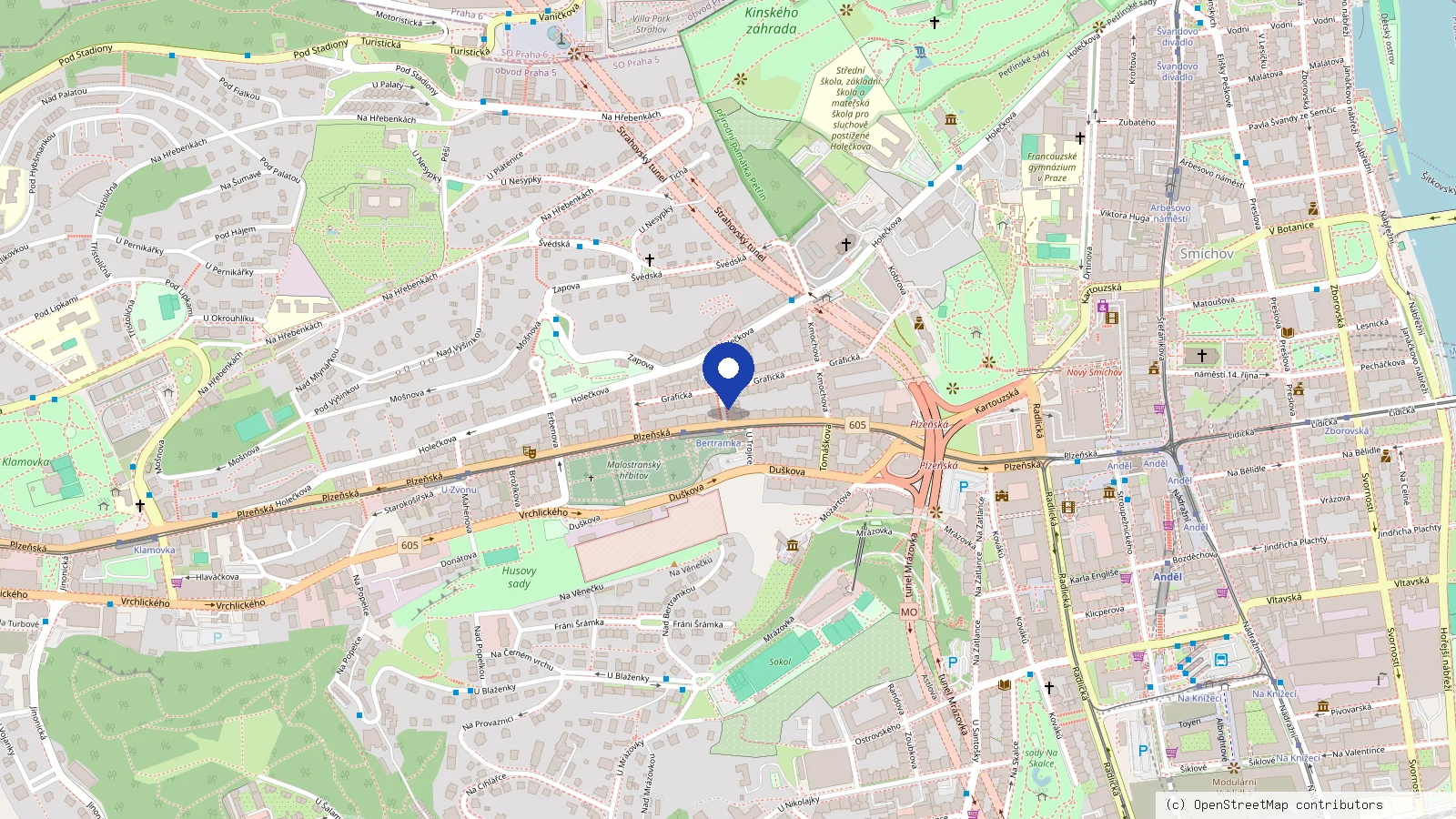
150 00 Praha 5, Czech RepublicMeetings by appointment only
Map data © OpenStreetMap contributors. Open in Google Maps · Mapy.cz · OpenStreetMap. The interactive map loads from Google only when you open it. Visits by appointment only: arrange one first.
Questions and answers
Is the verification page public?
Yes. Anyone with the code can open the verification page; no account or login is needed.
Is a trial designation also verifiable?
Yes. On annual plans the 7-day free trial gives a designation that is valid and verifiable from day one.
How soon after signing does a code appear?
The designation is issued within 24 hours of the completed onboarding form, and payment where applicable. From that point the code can be checked.
Can I verify by phone instead?
You can call +420 775 397 884 or write to info@gdprrepresentative.com, but the public page is faster and gives the same information on status and validity.
What exactly does the verification page display?
Four items: the client's company name, the service (EU GDPR, UK GDPR or GPSR), the status and the validity dates. That is enough to match the designation against a contract, privacy notice or seller account.
Does a valid designation mean the company meets GDPR or GPSR?
No. It confirms that an appointment exists. Appointing a representative or responsible person does not transfer the company's legal obligations or liability, and the check says nothing about the rest of its compliance.
Why do UK codes look different?
UK designations start with UK27- because they are a separate appointment under UK GDPR, signed by REP27 LTD in Mildenhall rather than by Europe Services SE in Praha 5.
What should I do if a vendor cannot give me a code?
Ask whether the appointment is still in onboarding. A designation is issued within 24 hours of the completed form; until then there is nothing to verify. If the vendor says Europe Services SE is its representative but has no code, write to us and we will reply within one business day.
Can I verify a designation for GPSR products listed on a marketplace?
Yes. Ask the seller for its G16- code and check it on the same page. The result shows whether the GPSR responsible person appointment is active and for which company.
Can an authority verify a designation issued in Praha?
Yes, the page is open to any supervisory authority or public body. Any EU supervisory authority, not only the Czech ÚOOÚ, can then contact the representative directly.
More about our Praha 5 office
- GDPR representative in Smíchov, Praha 5
- GDPR representative at Na Čečeličce 425/4
- The Praha 5 address for your privacy notice
- Meetings at the registered office in Smíchov
- Sending post and legal documents to Praha 5
- The Czech authority (ÚOOÚ) and your EU representative
- Data subject requests received in Praha 5
- Europe Services SE, Smíchov: who signs your appointment
- GPSR responsible person in Praha 5
- Printing the Praha 5 address on products and packaging
- Why an EU representative based in Prague
- EU in Praha, UK in Mildenhall: two representatives
- GDPR representative Praha 5: questions and answers
- Smíchov, Praha 5: the district of our registered office
Appoint your representative
Start with the plans (7-day free trial on annual plans, no card) or write to info@gdprrepresentative.com. We reply within one business day, in your language.